Troubleshooting Dagster#
Reloading code locations#
When a new asset is added in the code it is not automatically added to the DAG in the dagster UI. To refresh the DAG, click the small reload button next to the code location name in the top part of the UI:

Viewing Logs#
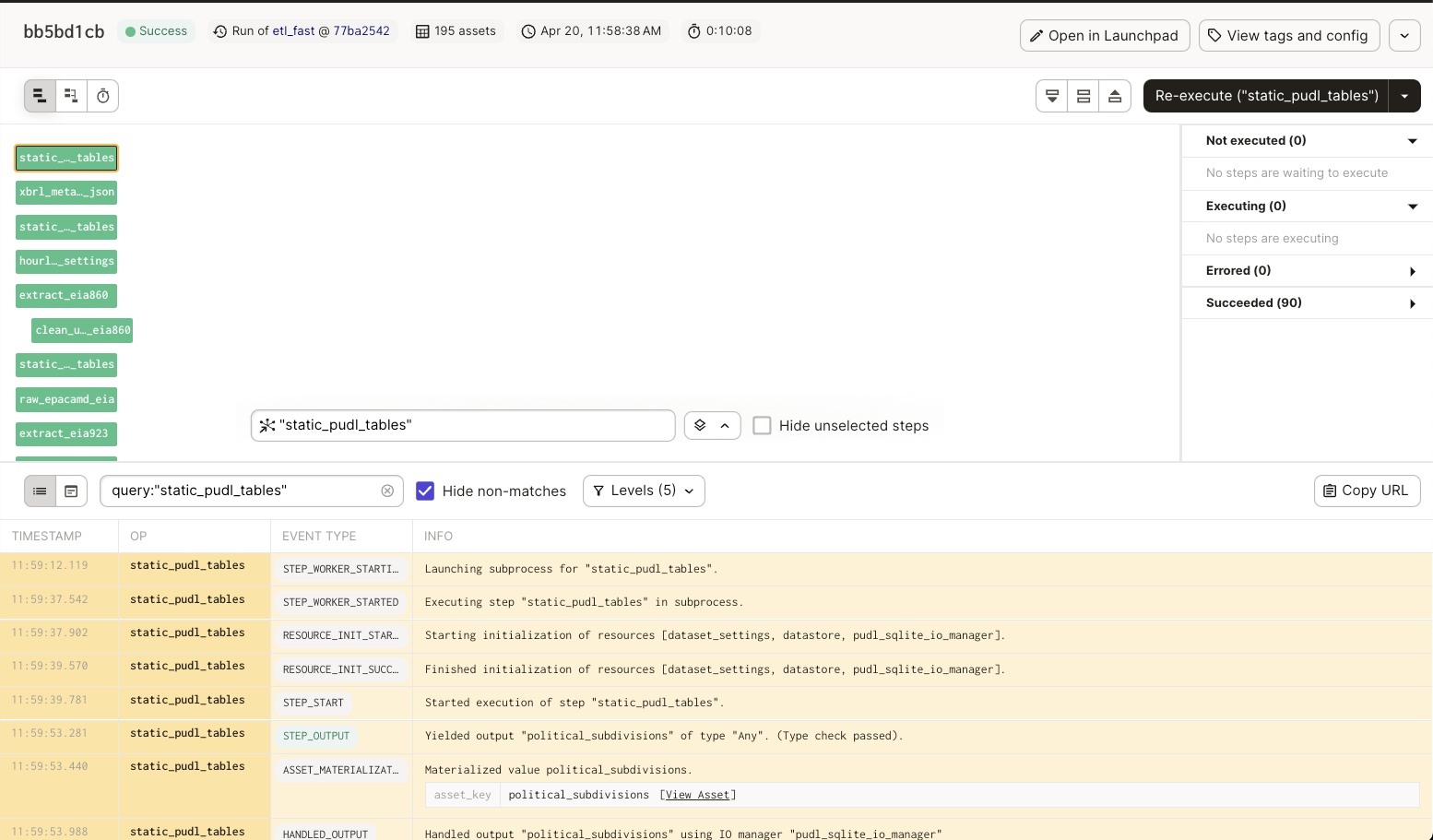
To view logs for a specific asset, click on the asset node in the execution UI for a given Run and Dagster related logs will appear at the bottom of the UI:
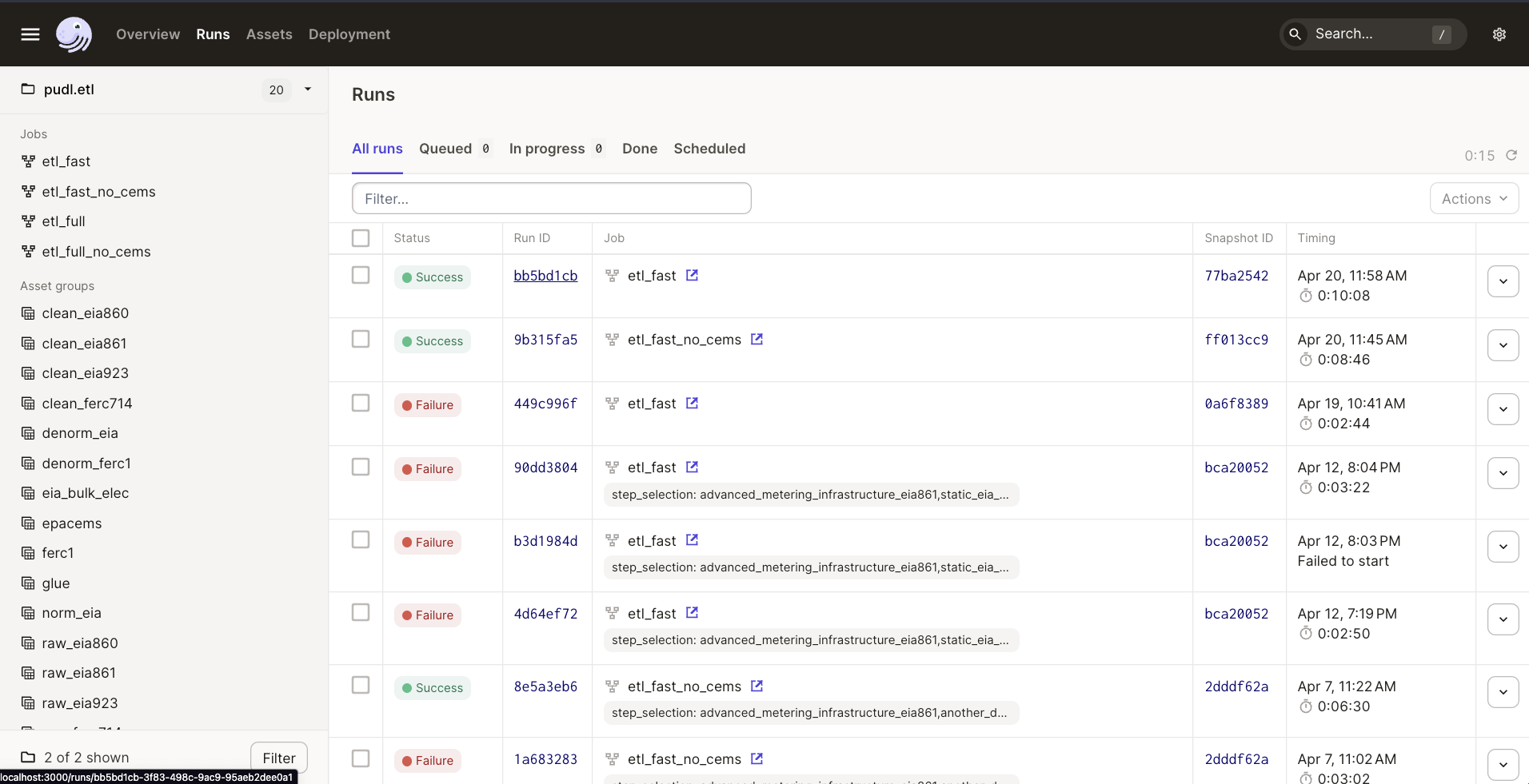
To view logs from previous runs, click on the Run tab in the upper left hand corner, then click the Run ID of the desired run to view the dagster logs.
You can view PUDL logs in the CLI you used to launch the dagster UI. By default, logs generated using the python logging module are not captured into the Dagster ecosystem. This means that they are not stored in the Dagster event log, will not be associated with any Dagster metadata (such as step key, run id, etc.), and will not show up in the default view of the Dagster UI.
If you need to find the PUDL logs for a previous run, you can search for the run ID in the CLI where you launched the dagster UI. The Dagster docs have more information on how dagster handles logs from Python’s logging module.
Keeping local Dagster instance up-to-date#
You may find that your local Dagster instance doesn’t seem to be picking up new Dagster features properly.
This is likely because a recent Dagster upgrade changed the Dagster internal DB
schema, and you need to run dagster instance migrate to bring that up to
speed before the new features will work.
Assets getting out of sync#
Dagster allows contributors to execute individual assets and debug code changes without having to re-execute upstream code. This is great, but can introduce some headaches when developing on multiple branches.
Let’s say we have a graph with two assets, A and B where B depends on A. We execute A
and B on branch-1. Then we update and execute asset A to return an integer instead
of a string. Then we switch to branch-2 where we are working on some improvements to
asset B. If we only execute asset B on branch-2, it will receive A’s value on
branch-1. This is a problem because on branch-2 asset B expects asset A to be a
string not an integer. To avoid a scenario like this, it is recommended you
re-materialize all assets in the PUDL Dagster code location when you switch branches.
The stable code location module is pudl.definitions, and the canonical assembly
it exposes lives in pudl.dagster.
Configuring resources#
Dagster resources are python objects that any assets can access. Resources can be
configured using the Dagster UI or via a YAML config file to change the behavior of a
given resource. PUDL’s default resource set is assembled in
pudl.dagster.resources and includes datastore access, data config, runtime
settings, and several IO managers. The resources contributors most often need to adjust
are:
pudl.dagster.resources.GlobalDataConfigResource#
The global_data_config resource loads a validated
pudl.settings.GlobalDataConfig object from a data config YAML file. It controls
which datasets and years are processed by both the ferc_to_sqlite and pudl jobs.
The path to the settings file is configured via the global_data_config_path field,
and the standard packaged settings files are under src/pudl/package_data/settings/.
To override the settings for a single run from the Dagster UI, hold shift while clicking
“Materialize All” to open the run configuration panel and set
global_data_config.config.global_data_config_path to point at a custom data config
YAML file.
Note
The configuration edits you make in the Dagster UI are only used for a single run.
To save a resource configuration permanently, update the Dagster config YAML (e.g.
dg_fast.yml) or pass a --config flag to dg launch.
pudl.dagster.resources.DatastoreResource#
Note
The configuration edits you make in the Dagster UI are only used for a single run.
If you want to save a resource configuration, change the default value of the
resource, update one of the packaged Dagster YAML profiles, or define a custom job /
Definitions override in pudl.dagster.jobs or pudl.dagster.build.
pudl.dagster.resources.PudlPathsResource#
The pudl_paths resource provides the PUDL_INPUT and PUDL_OUTPUT locations
used by Dagster-managed IO managers and assets. If you need Dagster to read from or
write to non-default workspace locations for a single run, override this resource in
the Dagster UI or construct custom Definitions via
pudl.dagster.build.build_interactive_defs().
pudl.dagster.resources.datastore_resource#
The datastore resource allows assets to pull data from PUDL’s raw data archives on Zenodo.
pudl.dagster.resources.ferc_xbrl_runtime_settings#
The ferc_xbrl_runtime_settings resource controls the concurrency and batch size for
the FERC XBRL extraction.
In addition to these commonly edited resources, pudl.dagster.resources also
registers the standard PUDL IO managers and the zenodo_dois resource used to locate
source archives.