
Summary and Schedule
After following this two-day lesson, learners will be able to:
- identify key open energy data sources suitable to answering energy research questions
- read in tabular data from XML, JSON, and Parquet formats using
pandas - request data stored in cloud buckets
- request data from a variety of Application Programming Interfaces (APIs)
- scrape data from webpages using
beautifulsoup - visualize data to quickly understand patterns and anomalies
- write Python classes and functions to break down complex cleaning tasks into reusable and discrete steps
- write automated tests to ensure that their code works as expected
- troubleshoot performance issues, and handle data that is too large to fit in memory
- automatically detect unexpected values in inputs and outputs by writing data validation tests
- transform a local codebase into a collaborative project using Github repositories, code documentation, and virtual environments.
| Setup Instructions | Download files required for the lesson | |
| Duration: 00h 00m | 1. Introduction |
Working with data sucks. How can I make sure no one else has to suffer
this misery? What can I do to help my work have lasting impact? |
| Duration: 00h 37m | 2. Handling diverse filetypes in Pandas |
How can I read in different tabular file formats to a familiar data type
in Python? What are some common errors that occur when importing data, and how can I troubleshoot them? |
| Duration: 01h 32m | 3. Accessing remote data |
How can I consistently work with the most up-to-date data
available? How can I work with data from a web API? |
| Duration: 01h 32m | 4. Scraping Data | How do I avoid the tedium/error-prone-ness of clicking lots of links or making lots of API requests by hand? |
| Duration: 01h 32m | 5. Visual Data Exploration |
How do I get ready to do research with data that is new to me? What should I do when I find something that doesn’t look right? How can I get a head start on identifying data problems that might cause headaches later? |
| Duration: 03h 22m | 6. Making assumptions about your data | How can I be sure that what I learned about my data is actually true? |
| Duration: 04h 12m | 7. Modularization |
How can I re-use code I’ve already written to address similar
problems? How can I reduce duplication in my code? How can I clearly communicate what my code is doing? |
| Duration: 05h 12m | 8. Escape from Jupyter! |
How can I break up this giant notebook I have into smaller
pieces? How can I effectively reuse modularized functions in multiple places? I want to collaborate with someone in another city. How can I get them to run my code? |
| Duration: 06h 07m | 9. Making sure your system is behaving |
How do I make sure that my system is working as I expect? How do I make sure that new code changes or new data aren’t breaking my system? When something does break, how can I identify which part of the system has broken? |
| Duration: 06h 07m | Finish |
The actual schedule may vary slightly depending on the topics and exercises chosen by the instructor.
Setup
You’ll need a few things set up before starting the course:
- the course materials should be downloaded to your computer
- the Python libraries used in the course should be installed
We’ll assume you have some familiarity with the command line:
- you can run commands
- you can navigate directories with
cd - you can inspect directories with
ls(ordirif you’re using Command Prompt on Windows)
Getting the course materials
The course materials are hosted on GitHub and you’ll need
git installed to access them. Fortunately git
is free!
Try opening a terminal window and running:
If you get some sort of “command not found” error, follow the official installation instructions.
Once you have git installed, open a terminal window and
download a copy of the materials using git clone.
Let’s assume you have a courses directory that you want
to store the course materials under. This will download the materials to
course/open-energy-data-for-all.
BASH
% cd courses
courses/ % git clone https://github.com/catalyst-cooperative/open-energy-data-for-all.git
If you open the open-energy-data-for-all directory you
just made, you should be able to see the course materials.
Installing the Python libraries
To install the Python libraries this course depends on, you will need
uv.
If you don’t have uv installed, check out their official
installation documentation.
Once you’ve installed uv, you can use it to install the
Python libraries into an isolated environment only for this course.
-
Using a terminal, enter the course repository you downloaded above:
-
Install the libraries:
-
Test out to see if the dependencies were installed by opening a Jupyter notebook:
You should see a directory listing in your browser:
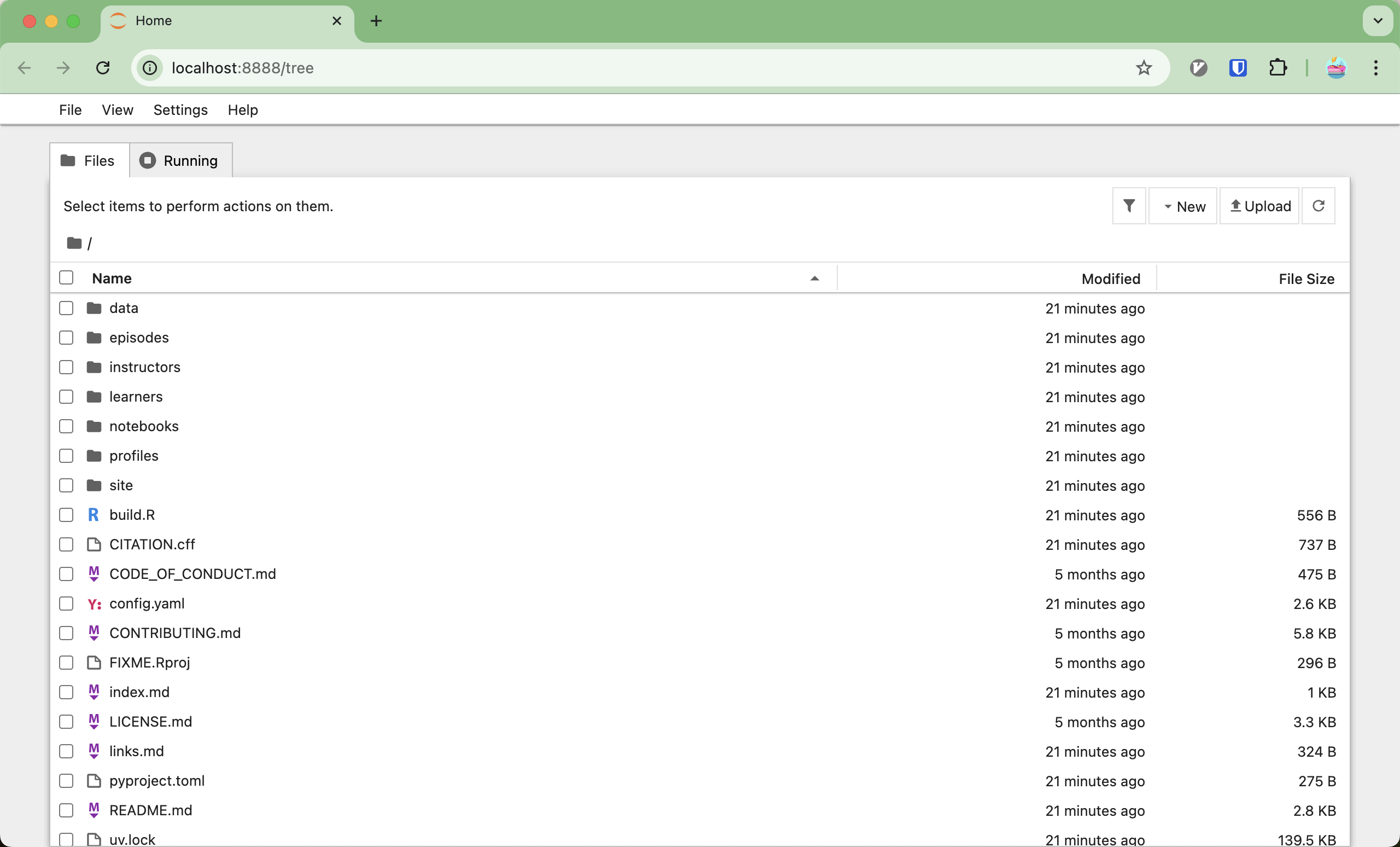 A directory listing, showing the contents of the course repository.
Click on
/notebooks, and then double-click the00-test-installation.ipynbnotebook. You should see a single cell: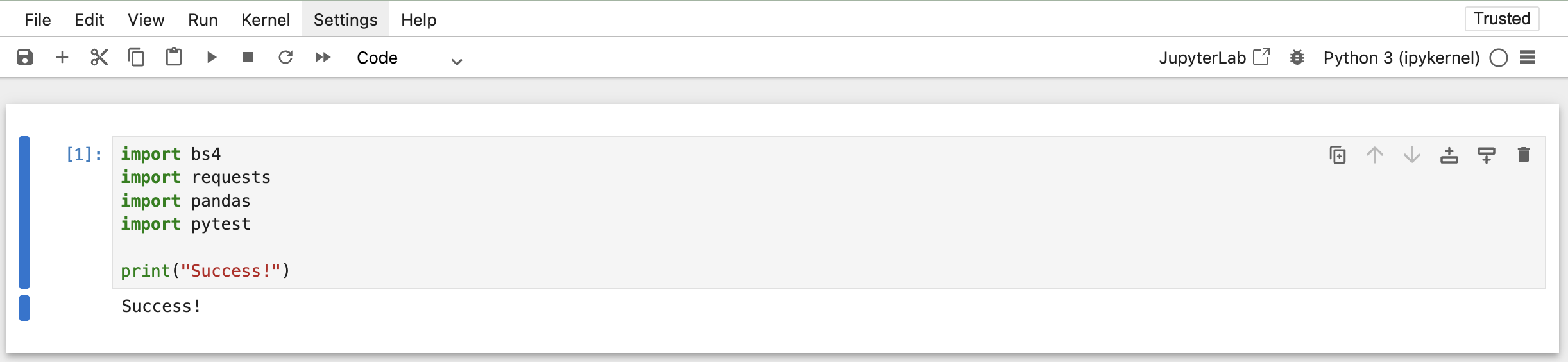 A cell that imports the high-level dependencies we need in the course.
Run that cell - if it doesn’t print
Success!, then you’re missing some dependencies for the course.Double-check:
- that you ran
jupyter notebookwithuv run jupyter notebook - that the libraries that are imported are listed in
pyproject.toml
If both are true, contact your instructor for help.
- that you ran